Explainer
What an AI customer-support agent is and when you need one
Every SaaS now ships a "support bot." Most are glorified FAQ search. Here is the honest version: what an AI support agent actually does, how it differs from a canned chatbot or a macro, the four jobs it handles well, where it must hand off, and how to tell when you are ready to deploy one.
In short
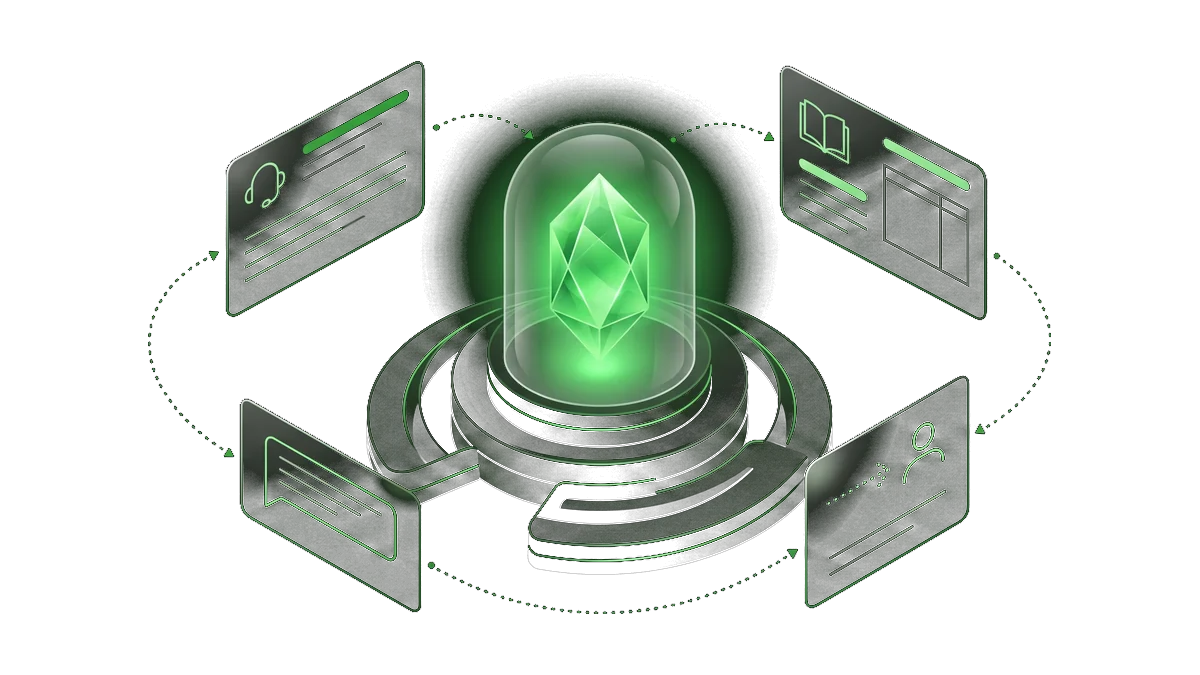
An AI support agent drafts and handles routine tickets by looking up your actual knowledge base, then routes anything it should not decide alone to a human. It is not a chatbot that guesses from general knowledge. It acts on real requests, grounded in your documentation, policies and past resolutions. The result: fewer tickets that need a human touch, faster first responses, and a support team that focuses on the cases that actually need it.
The basics
Agent, chatbot, or macro: what is actually different
A canned chatbot picks a scripted reply from a decision tree. A macro fires a templated response. An AI support agent does something more: it reads the ticket, retrieves the relevant answer from your knowledge base, drafts a reply grounded in your actual policies, takes the action if it is allowed to, and escalates when it should not go further. The difference is not cosmetic. An agent can handle a question it has never seen before, as long as the answer is in your documentation.
AI agents work through goals step by step, using your tools and data. That general capability, applied to support, means the agent does not just suggest what to say. It acts: look up the order status, update the ticket, draft the reply, close the loop.
Retrieval-augmented generation (RAG) is the technical mechanism behind this: the agent searches your knowledge base at query time, rather than relying on what a model was trained on months ago. The practical effect is answers grounded in your current documentation, not in generic internet knowledge.
Four jobs
Where an AI support agent actually helps
Not one magic button. Four distinct jobs worth deploying on their own.
Ticket triage and drafting
The agent classifies incoming requests by topic and urgency, drafts a reply for the human to review or sends it directly for low-risk ticket types. Your team stops spending the first fifteen minutes of every ticket just figuring out what it is about.
FAQ deflection
High-volume, low-complexity questions, tracking, returns, password reset, plan details, answer themselves before a human reads them. Containment goes up, queue depth goes down, without the customer noticing the difference.
Multichannel consistency
The same knowledge base and the same policies applied across email, live chat, and messaging channels, with no variation by channel or by which team member happened to pick up the ticket.
Escalation routing
When the request hits a boundary, a billing dispute, a regulatory question, an angry customer, the agent recognizes the signal and routes to the right team with the full context already attached. No re-reading, no re-explaining.
Under the hood
How an AI support agent handles a ticket
The same loop every time. A person wired in at the points that matter.
- 1
Understand the request
The agent reads the ticket in full, identifies the customer's intent and the relevant context from their history, and classifies the request by type and priority.
- 2
Retrieve from the knowledge base
It searches your documentation, policies and resolved tickets in real time, pulling the specific answer for this request rather than guessing from general training.
- 3
Draft the reply or act
It writes a grounded, on-brand reply using the retrieved context, or takes the permitted action directly, such as updating a record or closing a ticket. Suggestions for a human, or direct action when the scope allows it.
- 4
Hand off or log
Anything outside its permitted scope is escalated to the right person with the summary already written. Every action is logged so the team can review and adjust the agent's boundaries over time.
Not everything
Where a person stays in the loop
An AI support agent earns trust by knowing what to escalate, not by handling everything.
Refunds, exceptions, and goodwill
Anything that involves money outside the normal policy, a discount, a waiver, a one-off exception belongs to a human. The agent flags the request and prepares the context; a person makes the call.
Angry or high-stakes customers
A customer who is frustrated, at risk of churning, or in a situation that could escalate gets routed to a senior agent immediately. Emotional intelligence and relationship repair stay human.
Anything requiring judgment
The ambiguous request, the complaint that blends several issues, the case the policy does not quite cover: a well-designed agent recognizes it does not fit the script and routes it rather than forcing a wrong answer.
Accountability
Someone is always answerable for what the support system does. The agent works inside limits a person set and can review. The customer always has a path to a human if they need one.
Side by side
Canned chatbot vs AI support agent
Similar name, completely different capability. The difference shows in the tickets that fall through.
| Dimension | Canned chatbot | AI support agent |
|---|---|---|
| Knowledge source | Scripted replies from a decision tree you maintain by hand. | Your live documentation and policies, retrieved at query time. |
| Novel questions | Falls back to "I don't understand" or the wrong scripted reply. | Handles questions it has not seen before, as long as the answer is in your knowledge base. |
| Actions | Produces text. Cannot update records or close tickets. | Can take permitted actions: update a record, close a ticket, trigger a workflow. |
| Escalation | Escalates based on keywords, often too late or incorrectly. | Recognizes intent and escalates with context attached, before the customer repeats themselves. |
| Maintenance | Every new scenario requires a new scripted path added by hand. | Update the knowledge base and the agent picks it up automatically. |
Knowledge source
- Canned chatbot
- Scripted replies from a decision tree you maintain by hand.
- AI support agent
- Your live documentation and policies, retrieved at query time.
Novel questions
- Canned chatbot
- Falls back to "I don't understand" or the wrong scripted reply.
- AI support agent
- Handles questions it has not seen before, as long as the answer is in your knowledge base.
Actions
- Canned chatbot
- Produces text. Cannot update records or close tickets.
- AI support agent
- Can take permitted actions: update a record, close a ticket, trigger a workflow.
Escalation
- Canned chatbot
- Escalates based on keywords, often too late or incorrectly.
- AI support agent
- Recognizes intent and escalates with context attached, before the customer repeats themselves.
Maintenance
- Canned chatbot
- Every new scenario requires a new scripted path added by hand.
- AI support agent
- Update the knowledge base and the agent picks it up automatically.
In practice
Where to start, and what to measure
The right entry point is a narrow, high-volume topic: returns and refunds, subscription changes, order tracking. Pick the one where your team answers the same question ten times a day and where the answer is actually documented. Start there. Prove containment and CSAT on that slice before widening. An agent that handles thirty percent of tickets on one topic cleanly is worth more than one that touches everything and mishandles half of it.
The two numbers that matter are containment rate (how many tickets the agent resolves without a human) and CSAT on those tickets (are customers satisfied with the agent-only experience). If containment is high and CSAT holds, the scope earns the right to expand. If CSAT drops, something in the knowledge base or the agent's boundaries needs adjusting before you go wider.
Questions we hear about AI support agents
Straight answers before you deploy anything.
Will an AI support agent replace my support team?
No. It handles the repetitive, low-judgment tickets so your team spends its time on the cases that actually need a person: angry customers, complex disputes, relationship repair, policy exceptions. The goal is a team that handles more without more headcount, not a team that disappears.
Is it safe to let software respond to customers on its own?
Yes, when it is built with the right scope. A well-designed agent works on a narrow, documented set of ticket types, logs every reply, and escalates anything outside its remit. You review its work, adjust its knowledge base, and tighten its limits over time. It is given a specific job, not a blank mandate.
How does it avoid giving wrong answers?
Three layers: it retrieves answers from your actual documentation rather than generating them from training data, it is given explicit limits on what it can and cannot resolve, and it escalates when confidence is low. It will not confidently hallucinate a policy that does not exist, because it is grounded in what you have written, not in what a model learned from the internet.
What channels does it work on?
Any channel where tickets arrive as text: email, live chat, messaging platforms, web forms. The same knowledge base and the same policies apply across all of them. You do not need to build separate logic per channel.
How do we get started?
Pick the single highest-volume, best-documented ticket type your team handles. Map how a good support agent resolves it today. That mapping becomes the agent's scope and its knowledge base. Deploy on that one type, measure containment and CSAT, and only then widen. You leave the first review with a clear read on whether it will pay off, even if you do not work with us.
What does it cost to run?
Costs depend on ticket volume, the number of channels, whether actions (not just replies) are in scope, and how much the knowledge base needs to be maintained and updated over time. We share a precise number after the 30-minute review, when we understand the actual scope. Not before.
Support queue full of tickets your agent could handle?
Tell us about one high-volume ticket type. We will tell you honestly whether an AI agent would contain it, and what a first version would look like.